
TabMagnet
Open tabs where you expect them.
TabMagnet is a free Chrome extension that opens new tabs next to the current one and controls which tab becomes active when you close a tab. Less dragging. Less context switching.
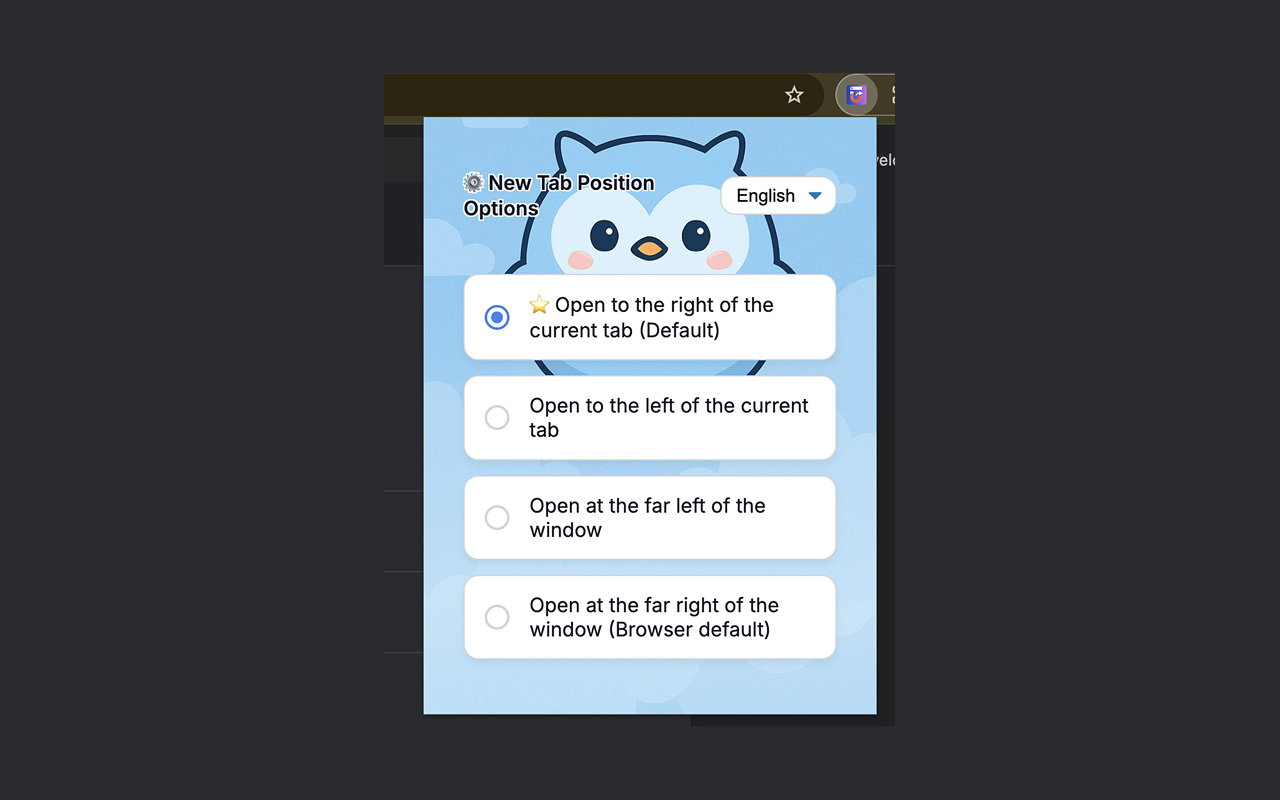
Tab control that matches how you work
Small settings, big daily savings. Configure once and every new tab — and every close — behaves the way you want.
New tab on the right
Open related research, docs, and search results next to the current tab by default — the lowest switching cost for most workflows.
Four position options
Right of current, left of current, far left of the window, or far right (browser default). Switch anytime in options.
Smart close behavior
After closing a tab, jump left (recommended), right (browser default), or smart: parent tab → left → right.
Multilingual interface
English, Simplified Chinese, and Japanese. Change language in the options popup and the UI updates immediately.
Tab groups preserved
Conservative move logic that respects Chrome tab groups, pinned tabs, and browser-internal pages.
Keyboard shortcut
Press Alt+Shift+2 (Option+Shift+2 on Mac) to open a new tab at the far right — customizable in Chrome shortcuts.
How it works
Install, pick your preferences, and keep browsing. No account. No cloud sync of your browsing history.
Install from Chrome Web Store
One click. No signup. Works with Chrome and Chromium-based browsers that support Manifest V3 extensions.
Choose tab position & close behavior
Open the extension popup and select where new tabs open and which tab becomes active after a close.
Browse with less friction
New tabs land next to what you're doing. Closing a tab returns you to the right place — not a random far-right tab.
Free for everyone
TabMagnet is completely free. No trials, no paid tiers, no credit card.
Free
No signup. No payment. Just install and go.
- New tab position control
- Tab close behavior options
- Tab group preservation
- English / Chinese / Japanese
- Keyboard shortcut
- No account required
- Chrome storage sync for settings
- Open source on GitHub
Frequently asked questions
Quick answers about TabMagnet. Still stuck? Email support@tabmagnet.com or open an issue on GitHub.
Install TabMagnet in one click
Free Chrome extension. Open tabs next to the current tab, control close behavior, keep your flow.